

The alarm clock for heavy sleepersWake up sharp.
Not just awake.
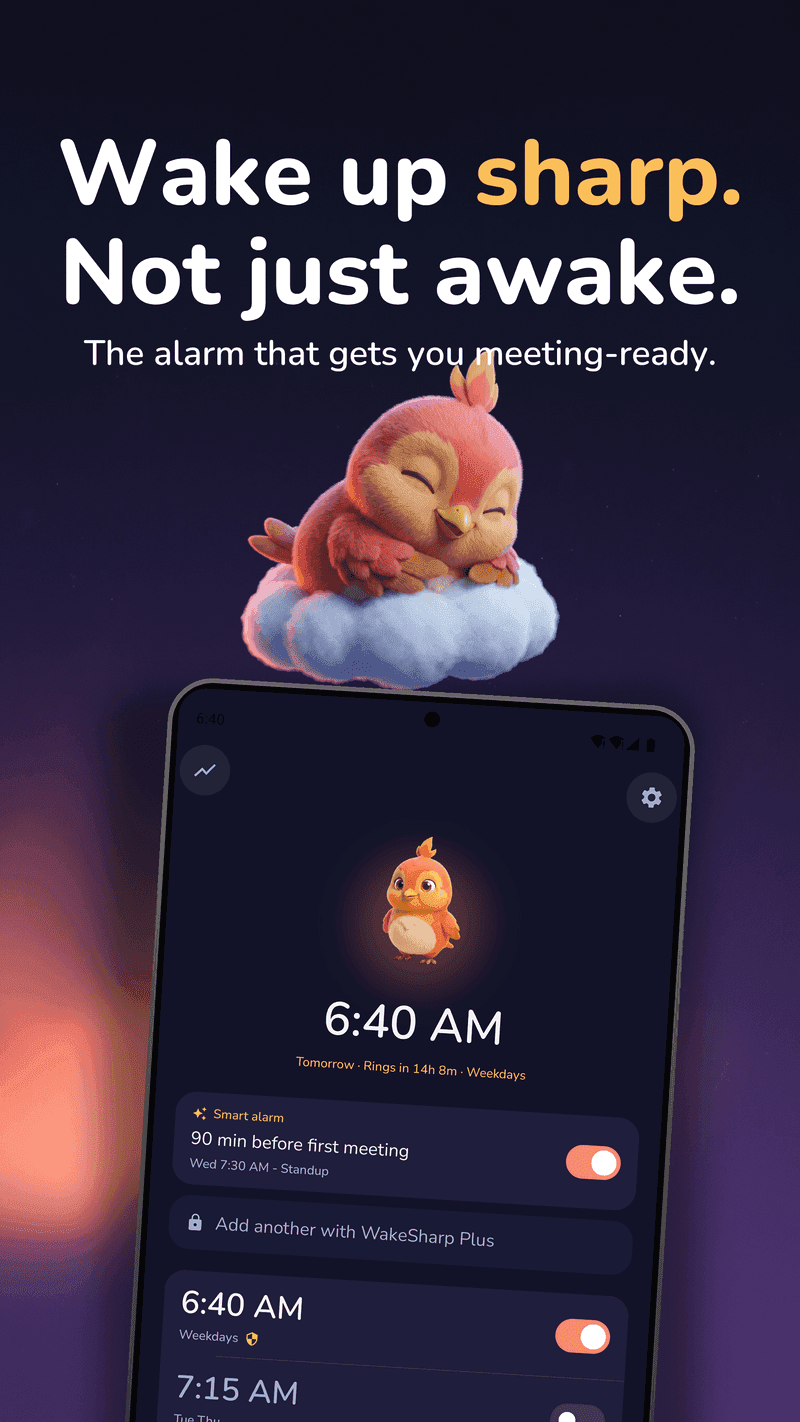
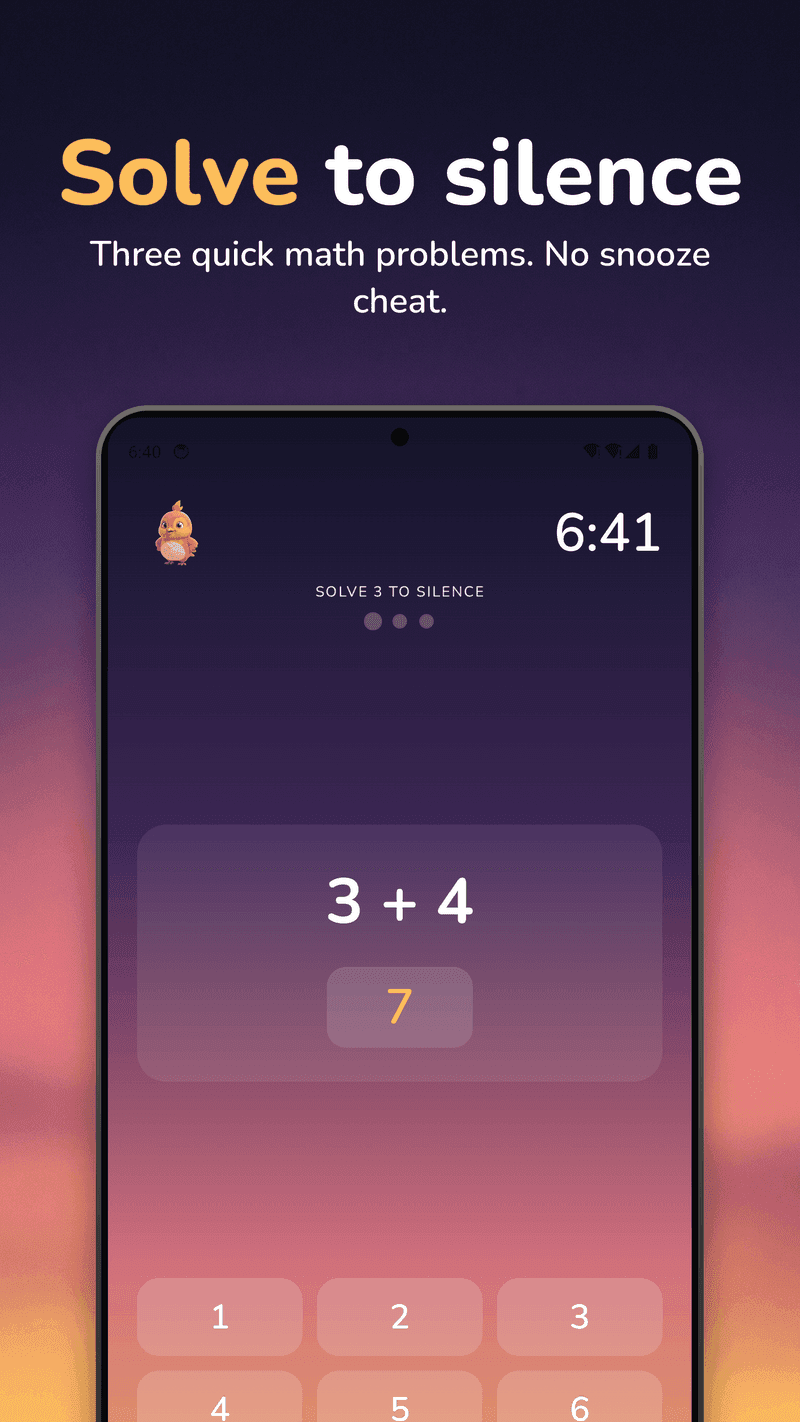
For heavy sleepers who need more than a snooze button. A swipe is something a barely conscious person can do, so WakeSharp asks for a mission instead (solve it, photograph it, walk it or say it out loud) and then scores how sharp you actually woke up.
Available on the App Store and Google Play
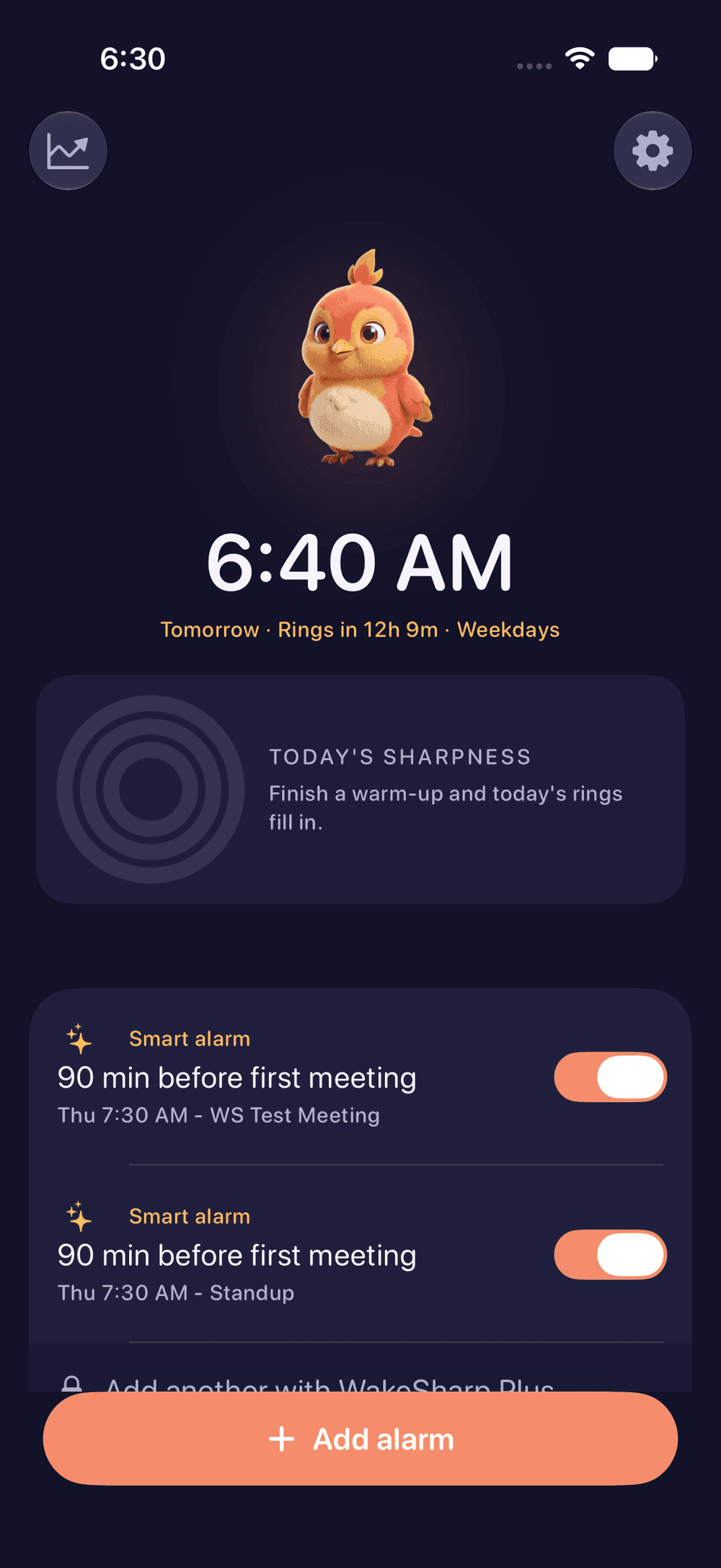
- Rings through Silent and Focus on iPhone
- Tells you the night before what could stop it
- No WakeSharp account required
- Camera and calendar processing happen on your phone
- WakeSharp shows no ads
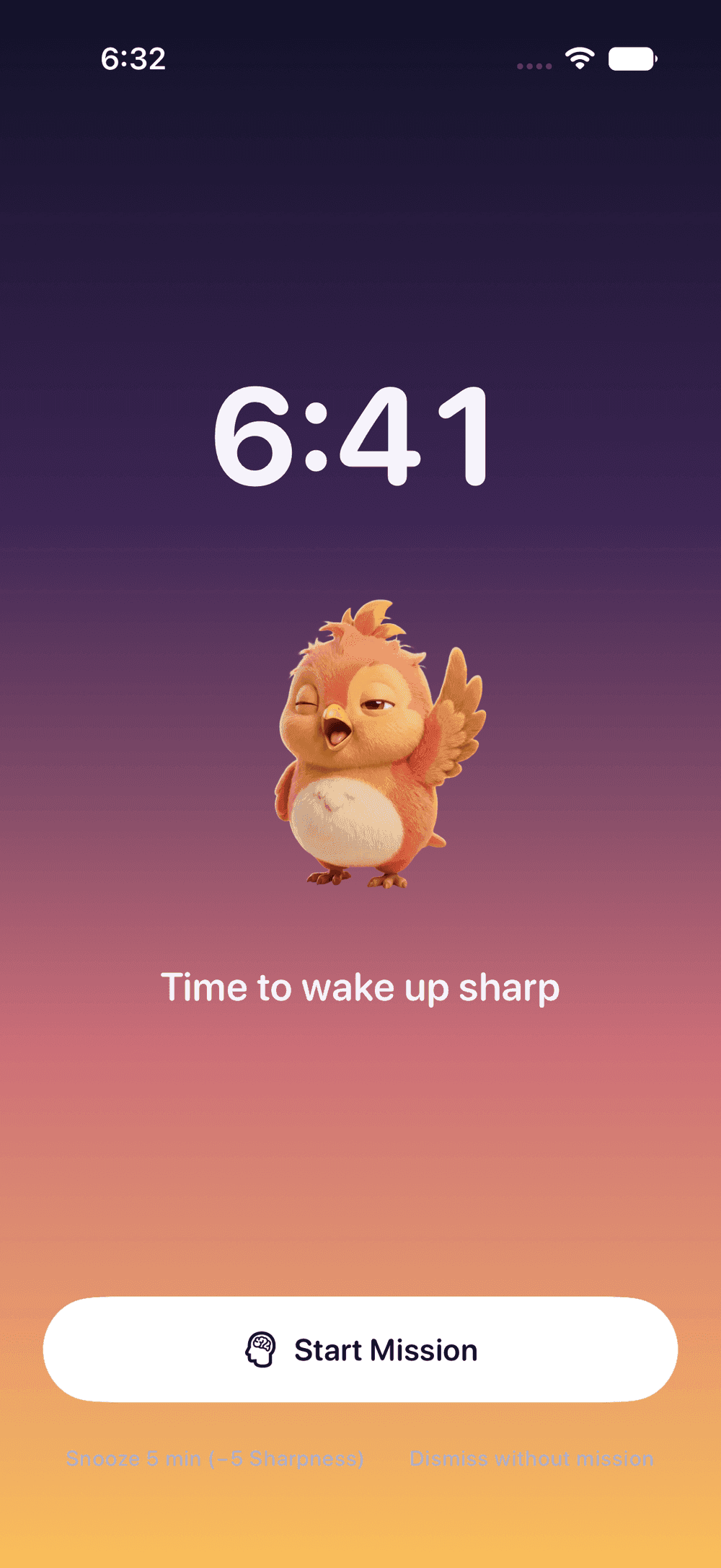
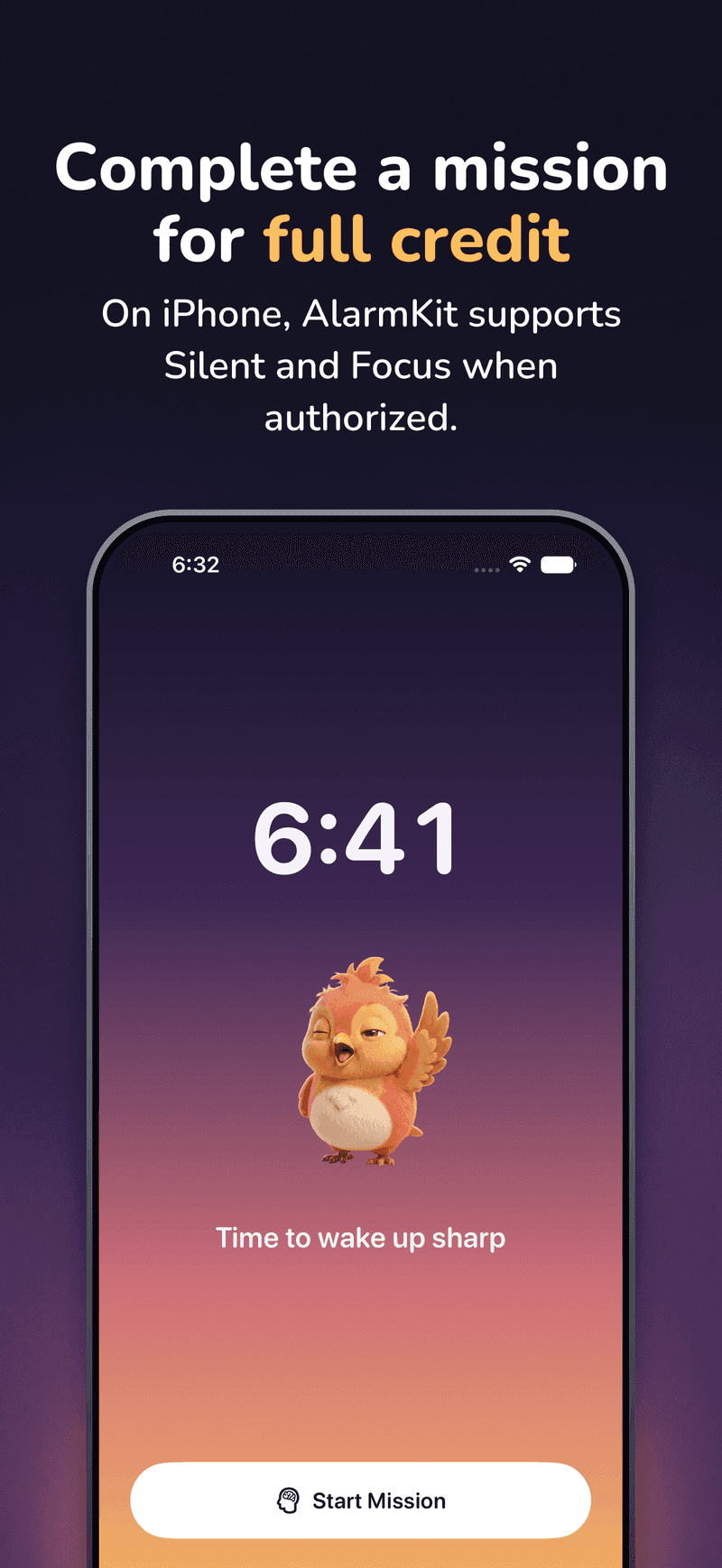
Complete the mission for full credit
On iPhone, Apple’s AlarmKit presents a system alarm over the lock screen, through Silent mode and Focus once alarm access is granted, even if the app was force-quit. On Android, an exact alarm on the alarm stream rings through silent mode, and through Do Not Disturb when it allows alarms, with Extra Loud and a build-up ramp that climbs instead of blasting. However you quiet it, the morning only counts once the mission is done.
Know it will ring, the night before
Most alarm apps find out they failed at the same moment you do. WakeSharp checks the things that actually stop alarms (permissions, alarm volume, notification settings, lock-screen takeover, battery restrictions) and leads with a verdict, not a promise.
- A verdict, not a checklistOne line at the top: it will ring, it may not, or it cannot.
- Honest about what it can’t seeWhere the phone won’t tell us, it says so, and never shows a green tick.
- One-tap fixes where they existAnd plain instructions where they don’t.
- “It didn’t ring” gets an answerThe provable cause, or an admission that we couldn’t tell.
It lives in Settings, and the pre-bed reminder folds the worst finding in so you see it while there is still time to fix it.

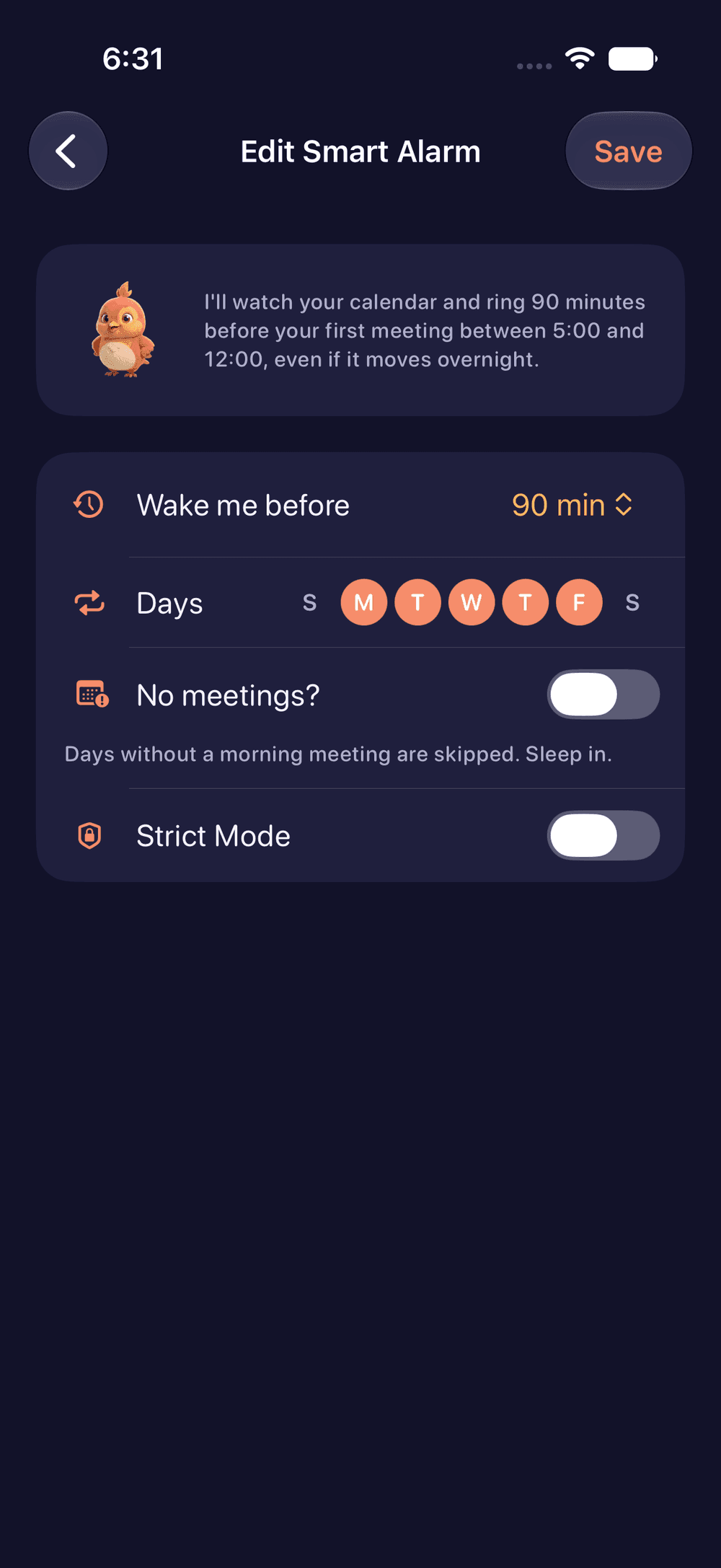
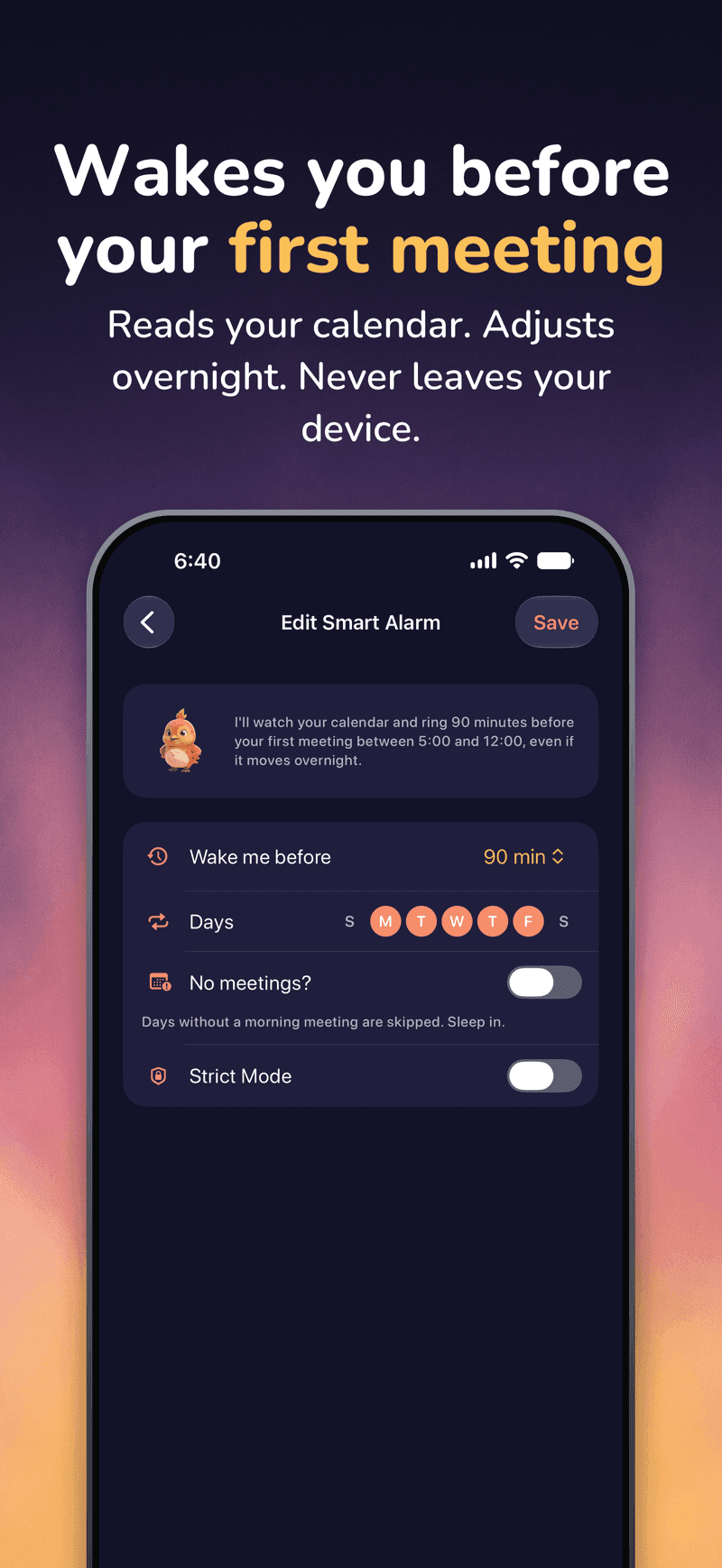
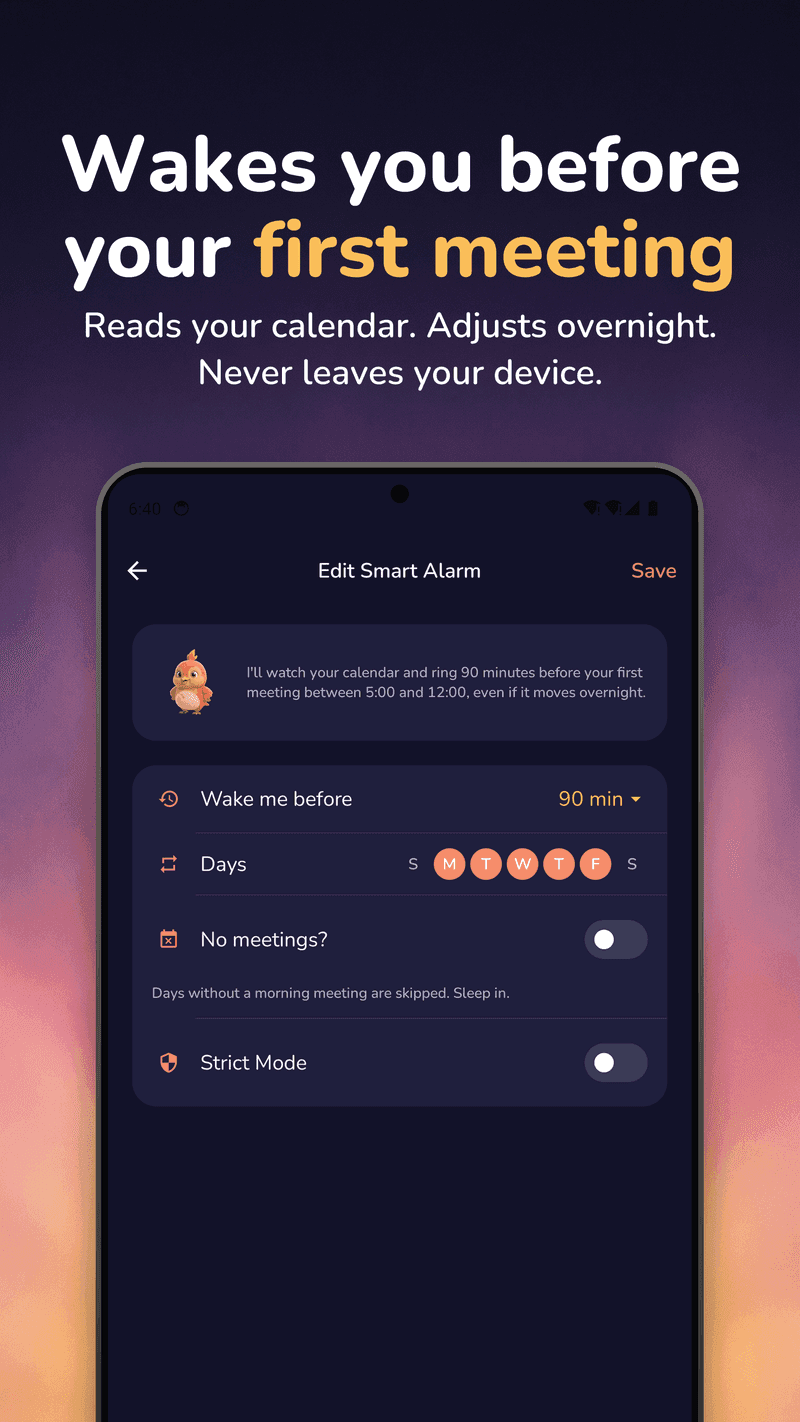
Wakes you before your first meeting
“Ring 90 minutes before my first meeting.” WakeSharp reads your calendar on your device, re-checks it overnight, and moves the alarm when the meeting moves. Read-only, optional, never transmitted.
Not every week is a week, either. Shift rotations handle the patterns that aren’t weekly (two days on, two nights, four off) with a preview calendar and a way to skip a single date without deleting anything. Profiles swap a whole set of alarms at once for work, vacation or on call. Search, sorting and a Today view keep the list honest when there are a lot of them.
Name what you’re waking up for (a workout, a commute, breakfast) and the label writes itself.
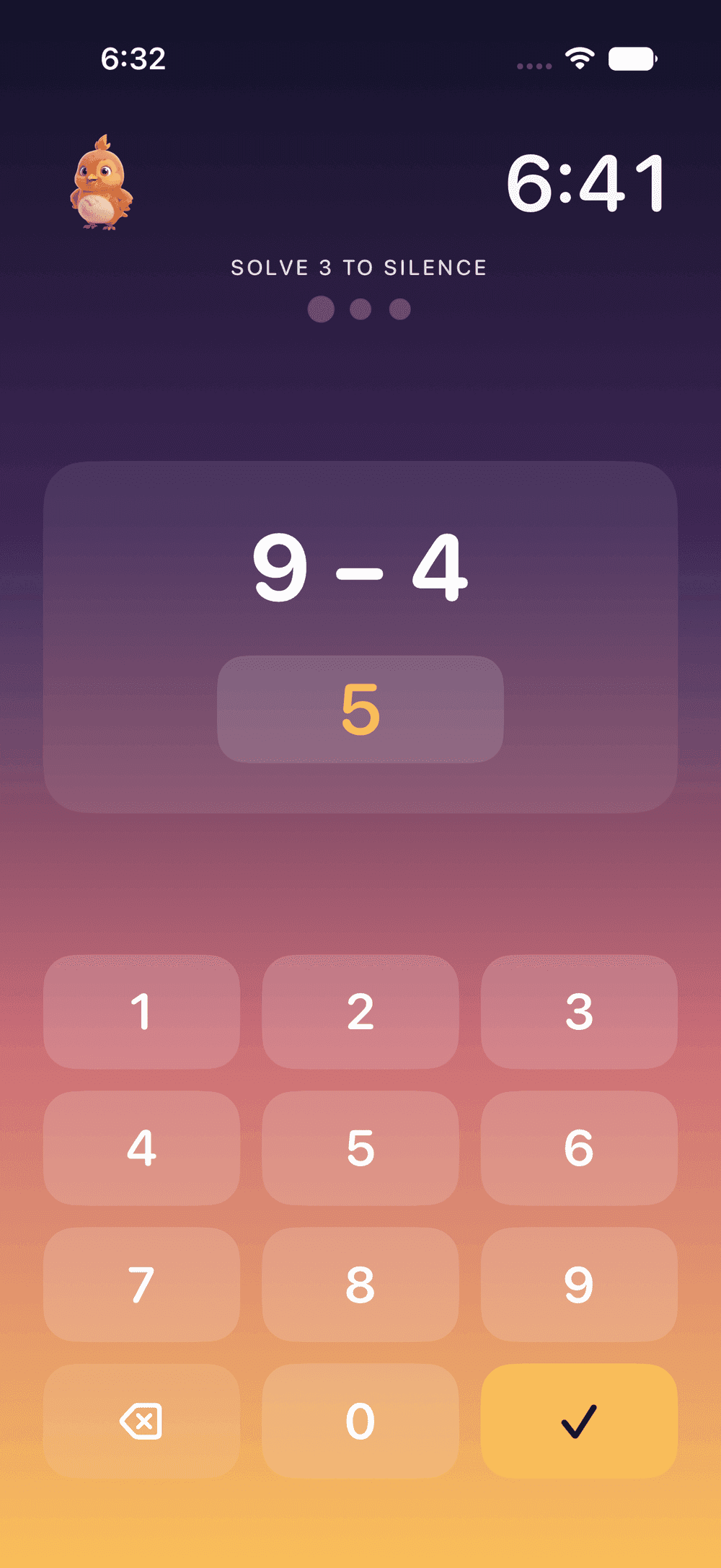
Missions that get you up
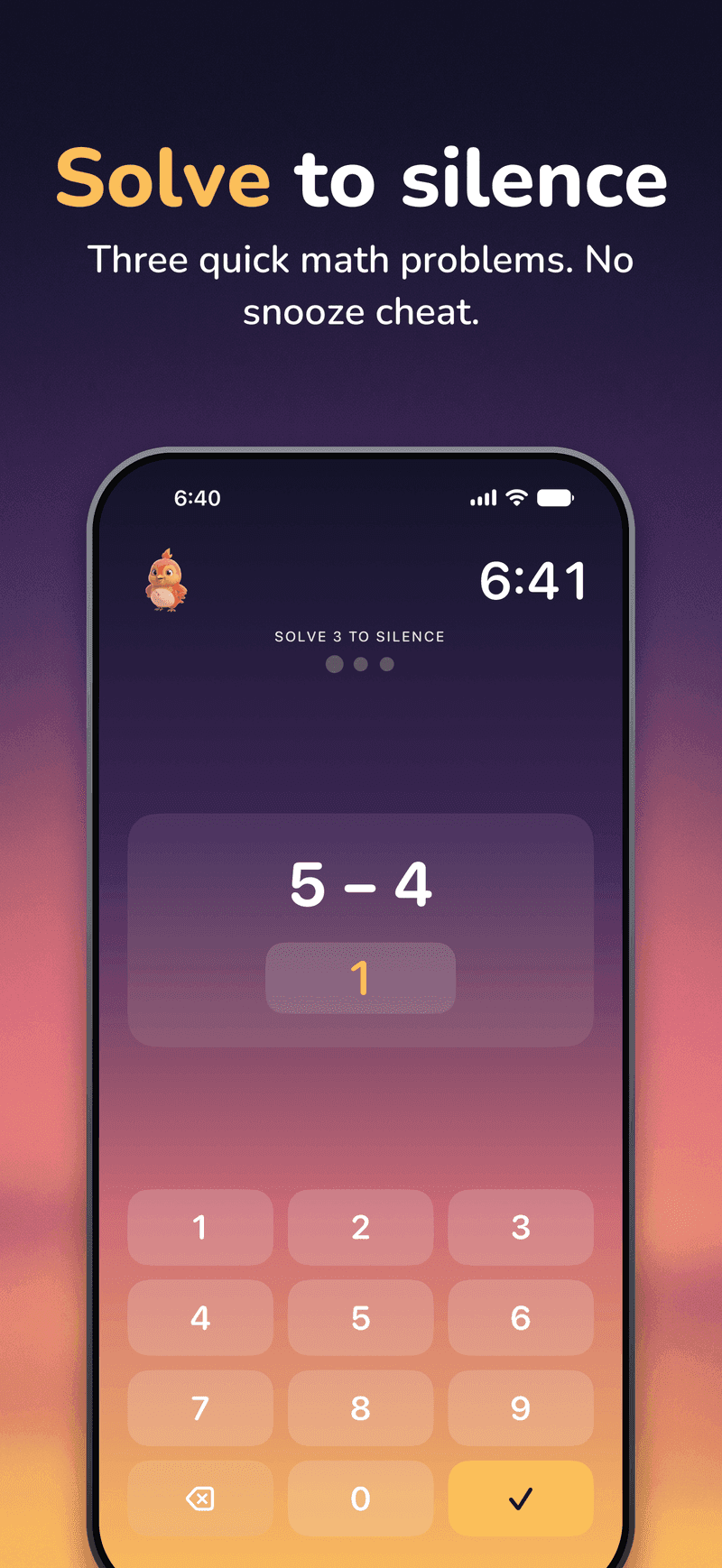
Something has to happen before the morning counts, and you pick what: arithmetic, a puzzle, a photo of the spot you chose last night, real steps, or an answer said out loud. An alarm can ask for several in a row, in the order you choose, and if one can’t run that morning (a dead camera, a phone with no step counter), WakeSharp falls back to one that can.
- Mind GamesBrainQuick arithmetic rounds you have to get right.
- Memory MatchBrainTurn over the cards and find every pair.
- Sequence RecallBrainRepeat a tap pattern that grows each round.
- Colour ClashBrainTap the ink colour, not the word.
- Type It OutBrainType out a line word for word, with autocorrect off.
- Photo ProofCameraRetake the photo of the spot you chose the night before.
- Scan an ObjectCameraGet up and point the camera at a bottle, a mug or a sink.
- FetchCameraGo and find something blue, or something you drink from.
- Face CheckCameraOpen your eyes for the camera, then follow the prompt.
- Fruit SlashCameraSlice the fruit out of the air with your finger.
- Walk It OffMovementTake real steps, counted by your phone.
- First LightMovementWalk to a window and hold your phone in the light.
- Serial SevensVoiceCount down by sevens, out loud.
- Name FiveVoiceName five things from a category, out loud.
- Surprise MeAnyA different mission every morning.
Missions are part of the alarm you build, so the deal is made the night before, not negotiated at 6am.
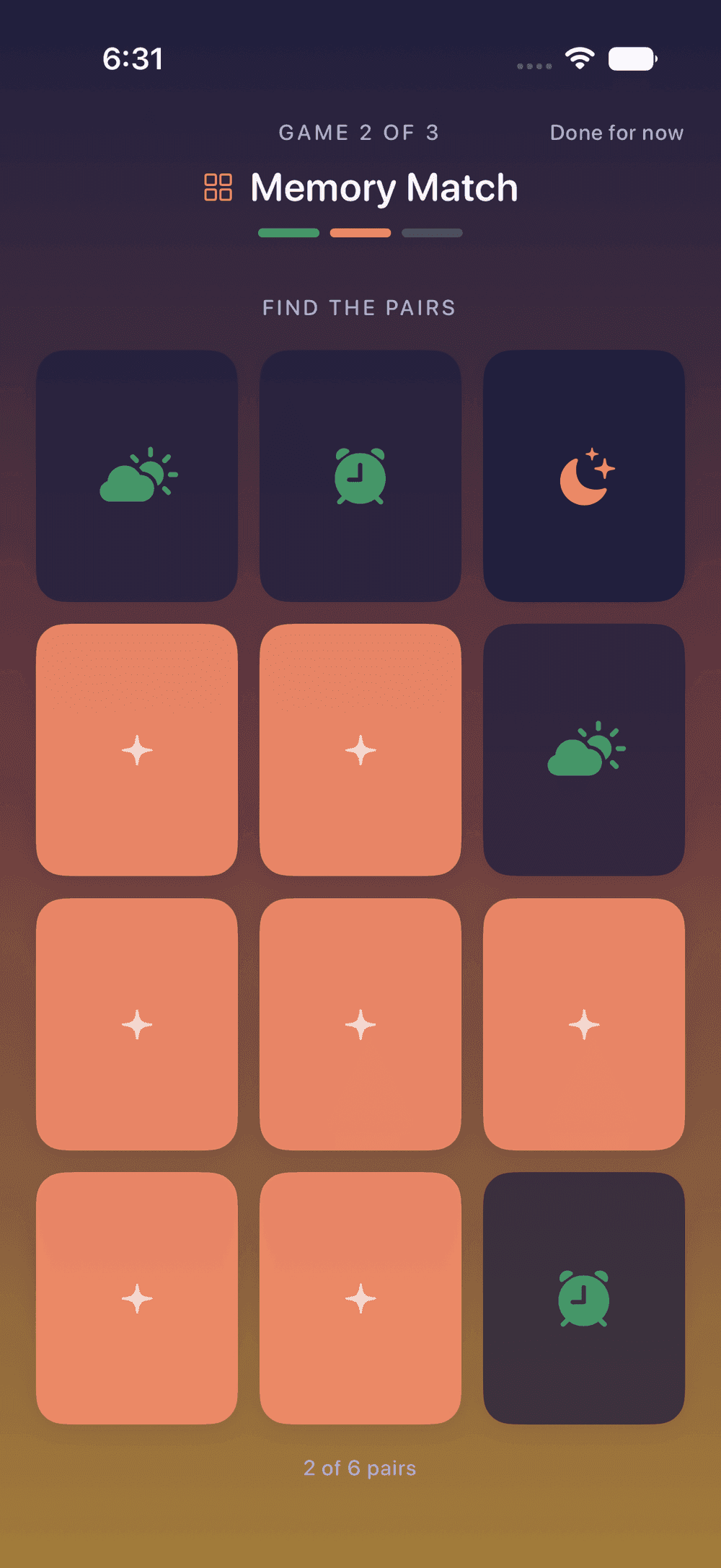
A two-minute warm-up while the kettle boils
Mind Games, Memory Match, Sequence Recall, Word Dash and Reaction Tap. Three play each morning and rotate, so the whole set comes round inside a week, and the warm-up never repeats whatever the mission just made you do. None of it is compulsory; the alarm is already off by then.
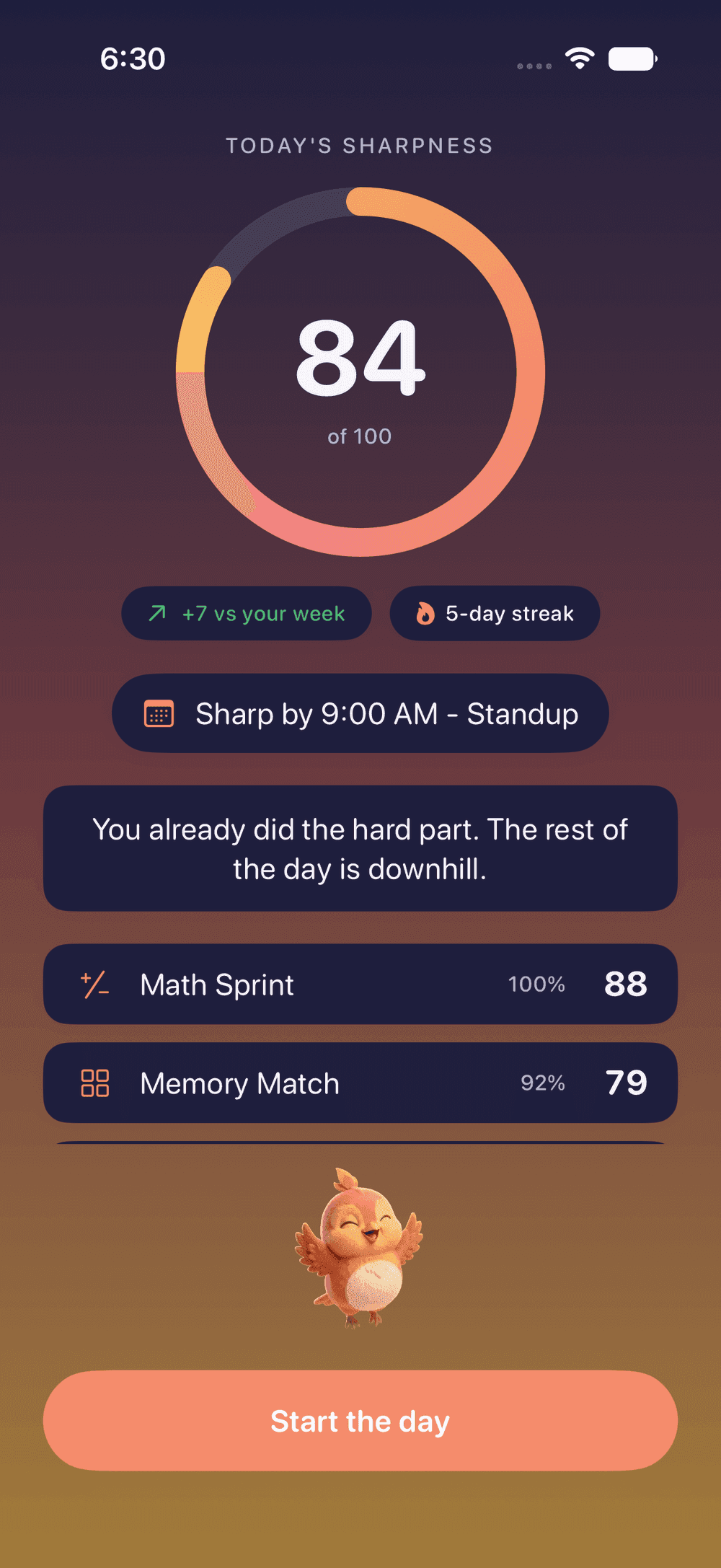
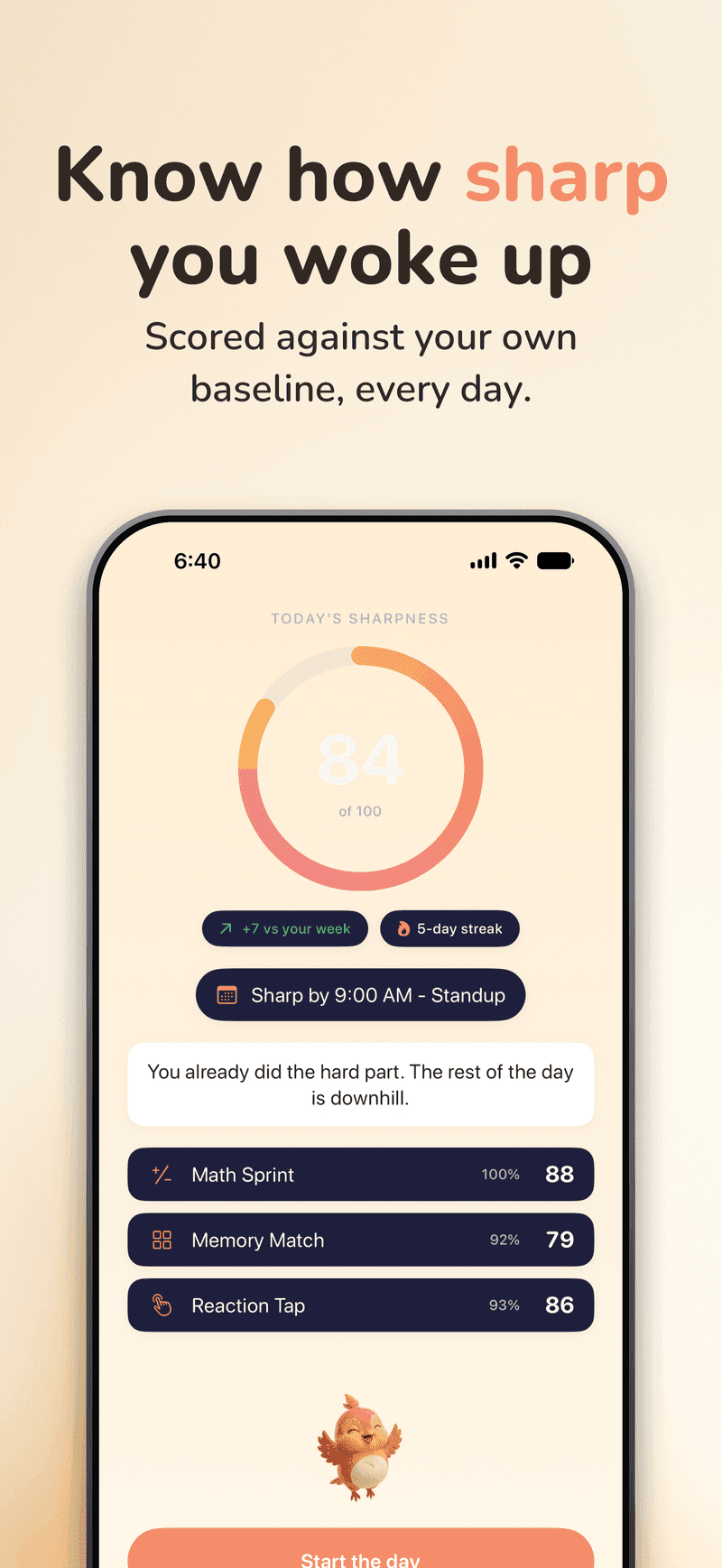
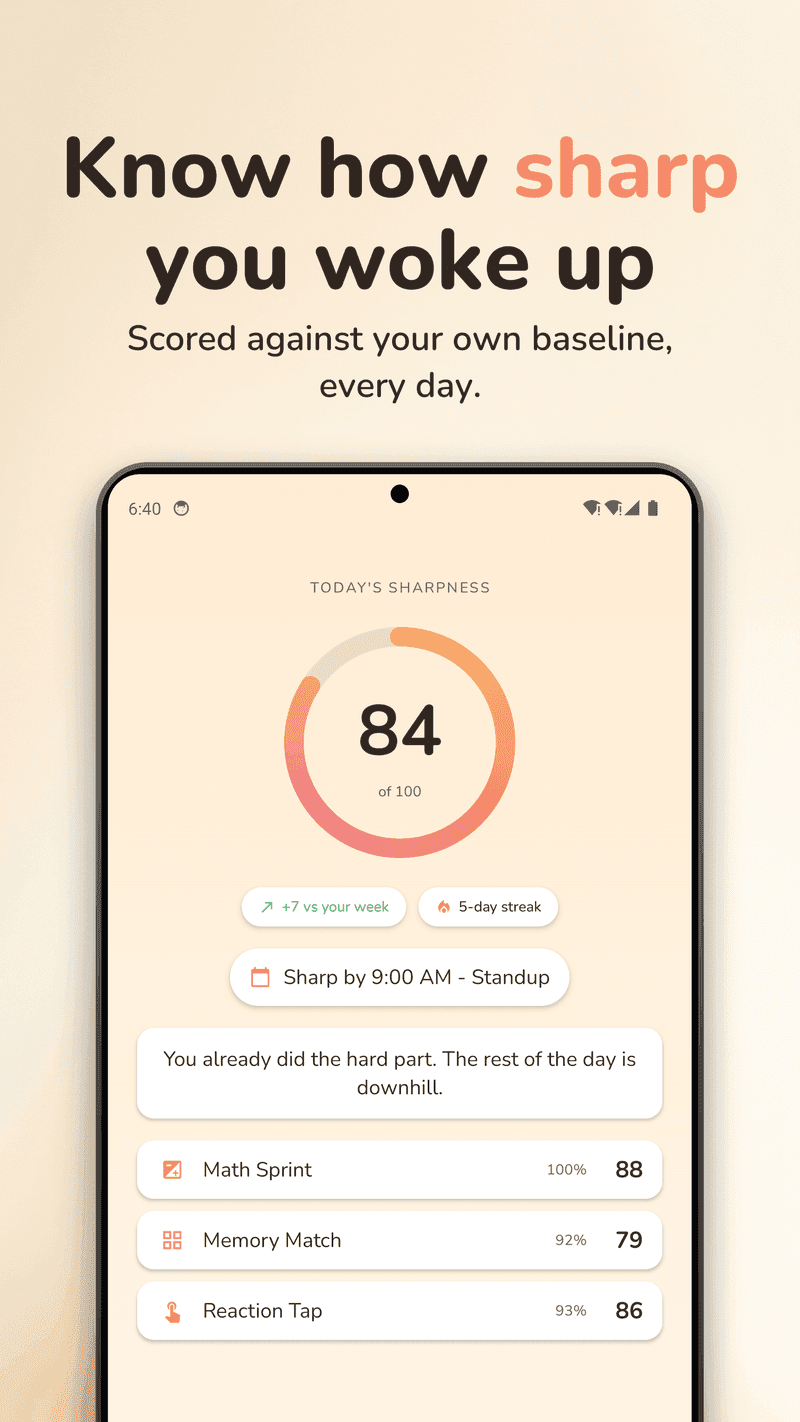
Know how sharp you woke up
One number out of 100 from the warm-up, scored against your own rolling baseline, not against strangers. It is an in-app score, not a clinical test, and yesterday’s you is the only benchmark that means anything at 6am.
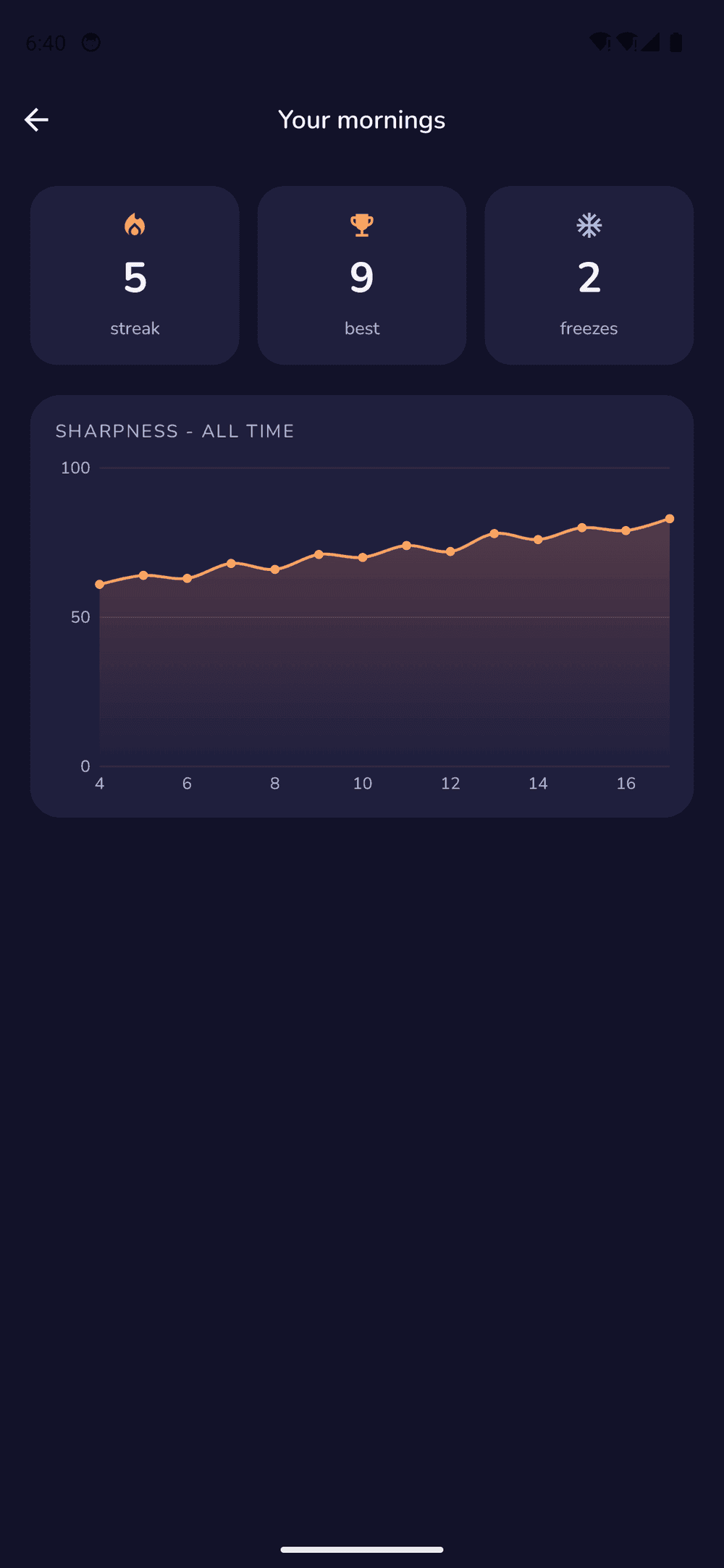
Watch yourself get sharper
A streak, a trend line, and freeze tokens for the mornings life gets in the way. Milestones land at 7, 30, 100 and 365, and your full Sharpness history goes back as far as you do.
Bring someone with you
Share a link and the phone that opens it sets the same alarm, then rings it on its own. Nothing to join, nothing to sign up for, and no server in the middle.
Both are just links: the phone that receives one does all the work itself.

Same app. Both phones.
Built natively twice: SwiftUI on iOS, Kotlin and Compose on Android. Not a wrapper, which is the only reason each side can do the things only it can do. Requires iOS 26 or later or Android 8.0 or later.
There’s a watch app on both wrists, too, on watchOS 26 or Wear OS 3. It taps you awake before the room hears anything, and the phone alarm shifts a few minutes later as the backup. Only a dismissal from the watch cancels it: a flat watch, one out of range, or one you haven’t opened in 36 hours all leave the phone alarm exactly where it was. There’s a complication for the watch face as well.
There is no account to make, but you can sign in with Apple or Google if you want one thing from it: a backup, so your alarms, settings, scores and streak come back on a new phone. It is off by default, everything works signed out, and nothing at 6am ever waits on the network.
iPhone - as shown on the App Store
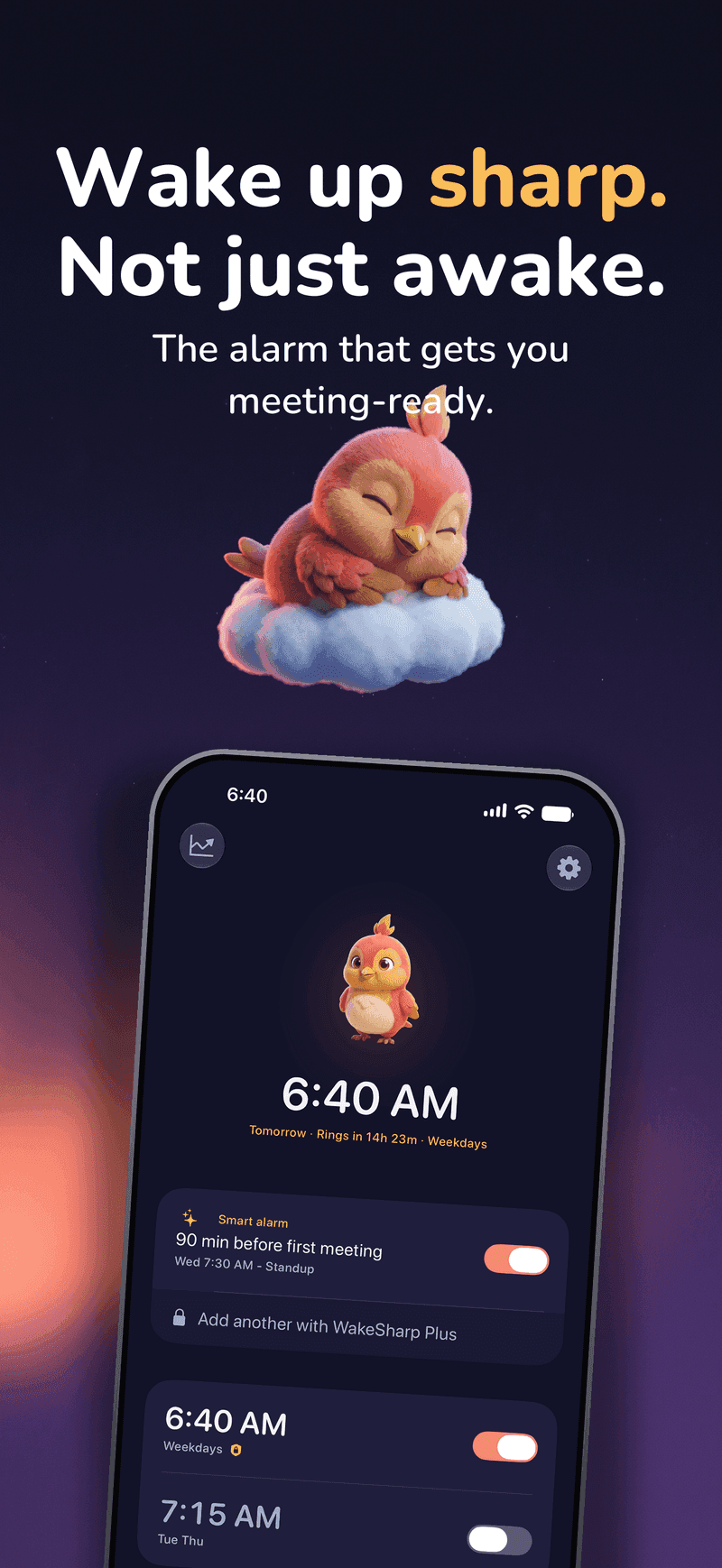
Android - as shown on the Google Play
Make the morning yours
The alarm you actually want to hear, behind the picture you actually want to see.
One plan, everything in it
WakeSharp Unlimited is the whole app: every wake-up mission, the daily warm-up, smart calendar alarms, shift rotations and profiles, your full Sharpness history, and every Lark scene and wallpaper. WakeSharp shows no ads.
WakeSharp Unlimited
$34.99/year

- Start with a 7-day free trial, then $34.99 a year
- or $4.99 a month, with no trial
- Every wake-up mission, and several in a row if you like
- Three warm-up games every morning, rotating
- Your full Sharpness history
- Smart calendar alarms that can move when your first meeting does
- Shift rotations, profiles, and as many alarms as you need
- The reliability check and every alarm tone
- Every Lark scene, alarm wallpaper and celebration
- Wake with a friend, and the watch app on both wrists
- No ads
Yearly and monthly are billed by Apple or Google and renew until cancelled. Cancel any time in your store account, and note that deleting the app does not cancel a subscription. The free trial is for eligible new subscribers. See the Terms.
Questions, answered
Does it really ring in Silent, Focus or Do Not Disturb?
Behaviour is platform-specific, and it depends on permission. On iPhone, WakeSharp uses Apple’s AlarmKit, which supports ringing through Silent mode and Focus once you have granted alarm access. Decline or revoke it and WakeSharp cannot schedule anything at all. On Android it plays on the dedicated alarm stream, which rings through silent mode, and through Do Not Disturb when it allows alarms (Total Silence mutes every sound, alarms included) and it shows a full-screen alert over the lock screen, provided the exact-alarm, notification and lock-screen permissions are in place. What no app can do is ring on a phone that is switched off or out of battery, so for anything you truly cannot miss, set a second alarm on another device.
How do I check my alarm is actually going to ring?
Open Settings → Alarm reliability. WakeSharp reads the conditions on your phone that can stop an alarm (permissions, alarm volume, notification settings, lock-screen takeover, battery restrictions) and leads with a plain verdict rather than a promise. Where the platform will not tell us something, it says so instead of showing a green tick, because a checklist that quietly turns unknowns into passes is worse than no checklist at all. If an alarm ever does fail, the app can tell you the provable cause afterwards, or admit that it could not work it out.
Do I have to do maths at 6am?
Only if you want to. Missions come in several kinds: arithmetic and puzzles, a photo of a spot you chose the night before, scanning a real object across the room, walking or heading to a window, typing a line, or answering out loud. Pick the ones that suit you, and an alarm can ask for more than one. Surprise Me picks a different one every morning, so there is nothing to stage the night before.
Can I cheat past the mission?
Your phone’s own controls always work. You can switch it off, and no app should be able to stop that. Inside WakeSharp, though, stopping or snoozing the alarm doesn’t finish the morning: it only counts once the mission is done.
What does the camera do?
Only the missions that need it (Photo Proof, Scan an Object, Fetch, Face Check and Fruit Slash among them) and only while one of them is running or while you are setting it up. Recognising objects and matching photos happen on your device. Decline the permission and every mission that doesn’t need the camera still works. The privacy policy says exactly what, if anything, leaves your phone and when.
Does WakeSharp track my sleep?
No. There is no sleep tracking of any kind: no microphone listening overnight, no sleep staging, no score for your night, and no opinion about when you fell asleep. The step counter is read during the walking mission and at no other time. WakeSharp measures how sharp you are once you are up, and nothing before that. The only sleep-shaped things in it are a bedtime you plan yourself and optional wind-down audio.
What exactly does it read from my calendar?
Your upcoming events, read-only, entirely on your device, for one purpose: working out what time to wake you. Nothing is transmitted anywhere. It is optional, and every other feature works if you decline it.
Do I need an account?
No WakeSharp account is required. There is no email and no password anywhere in the app. You can optionally sign in with Apple or Google for a single purpose: to back up your alarms, settings, scores and streak so they come back on a new phone. It is off by default, every feature works signed out, and an alarm never waits on the network to ring. Delete it from Settings → Account, or at wakesharp.app/account/delete.
What happens if my watch is dead?
Your phone rings. The watch taps you awake first and WakeSharp shifts the phone alarm a few minutes later as the backup, so only a dismissal on the watch cancels it. A flat watch, one out of range, or one you have not opened in 36 hours all leave the phone alarm exactly where it was.
What does WakeSharp cost?
There is one plan, WakeSharp Unlimited, and it includes everything. New subscribers can start with a 7-day free trial of the yearly plan, then $34.99 a year, or choose the monthly plan at $4.99 a month, which has no trial. Prices are in US dollars; the App Store and Google Play show the price for your country. WakeSharp shows no ads.
I bought Lifetime. Do I keep it?
Yes. Lifetime was a single payment and it stays yours: nothing renews and there is nothing to cancel. Restore Purchases brings it back on a new phone, using the same Apple or Google account.
How do I cancel?
Through the App Store or Google Play, any time, including during the free trial. Deleting the app does not cancel a subscription.
Does it track me?
WakeSharp shows no ads, but it does buy ads elsewhere, and it measures which ad or link brought you to the app and whether that led to a trial or a subscription. On iPhone it asks first: refuse, and your advertising identifier is never read and ad networks see only aggregated campaign results. Android works as the privacy policy describes. Product analytics can be turned off in Settings, and your alarm labels and calendar details are never sent. The privacy policy lists exactly what leaves your device.
From the blog
- Sleep Inertia: Why You Wake Up Groggy (and How to Wake Up Sharp)
Your brain takes 15 to 60 minutes to fully boot after waking. Here's the science of sleep inertia, and what actually shortens the groggy window.
- Math Problems at 6 AM: The Science of Why Solving Beats Snoozing
Why your brain fails arithmetic worse right after waking than after a sleepless night, and what a math alarm clock actually does about it.
- iPhone Alarm Didn't Go Off? The 7 Real Causes
Your iPhone alarm never rang. Here are the seven causes that actually explain it, how to check each one tonight, and which ones are Apple's to fix.

Tomorrow morning starts tonight
Set one alarm. See what a sharp morning actually feels like.
Available on the App Store and Google Play