
Loud alarm tones
Last updated 28 September 2026
Choose a sound from the Loud category for an alarm that stands out. Check volume and permissions on your iPhone or Android phone.
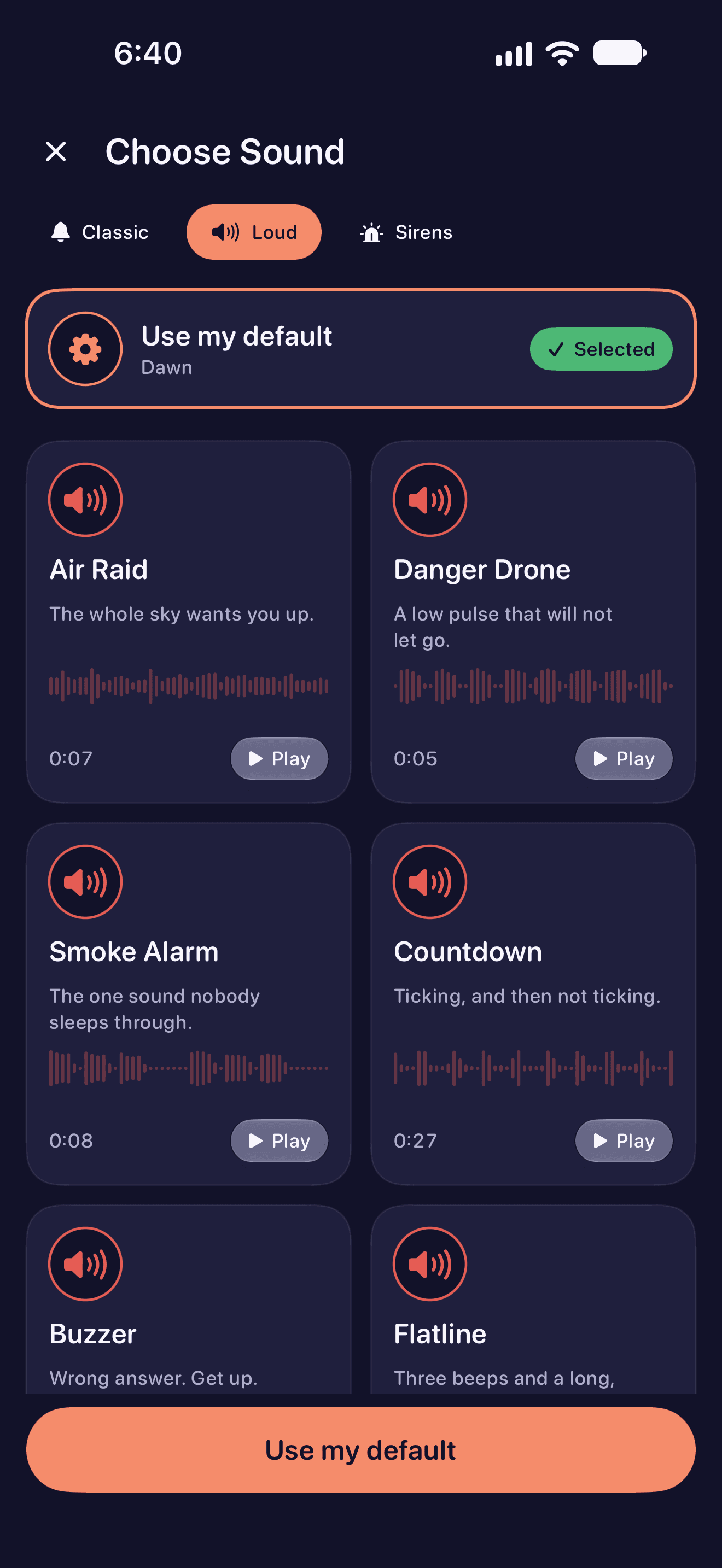
Loud is a sound category in the alarm editor. Open the sound picker, listen to the tones, and choose the one you want for that alarm. You can pair the same tone with any available mission.
How to use it
- Open an alarm and its sound picker. Select the Loud category.
- Preview a tone and save it to that alarm. Choose a mission separately.
- Set a short test alarm. Check your phone’s volume, permissions and battery.
What to check
On iPhone, system alarm volume is controlled by iOS. Choosing a Loud tone does not override that setting. On Android, check the alarm volume and allow alarms in Do Not Disturb. Test the sound on your own phone before relying on it.
Explore the other features
- Scan an Object alarm
- Math alarm clock
- Puzzle alarm clock
- Photo alarm clock
- Walking alarm clock
- Calendar alarm clock
- Alarm clock for shift workers
- WakeSharp Sharpness Score
Download WakeSharp
Available on the App Store and Google Play
Questions about this page? Email support@wakesharp.app.