
Puzzle alarm clock
Not everyone wants arithmetic at 6 AM. WakeSharp's puzzle missions ask for memory, attention or words instead: something you have to think about, which is exactly the part a reflexive swipe skips.
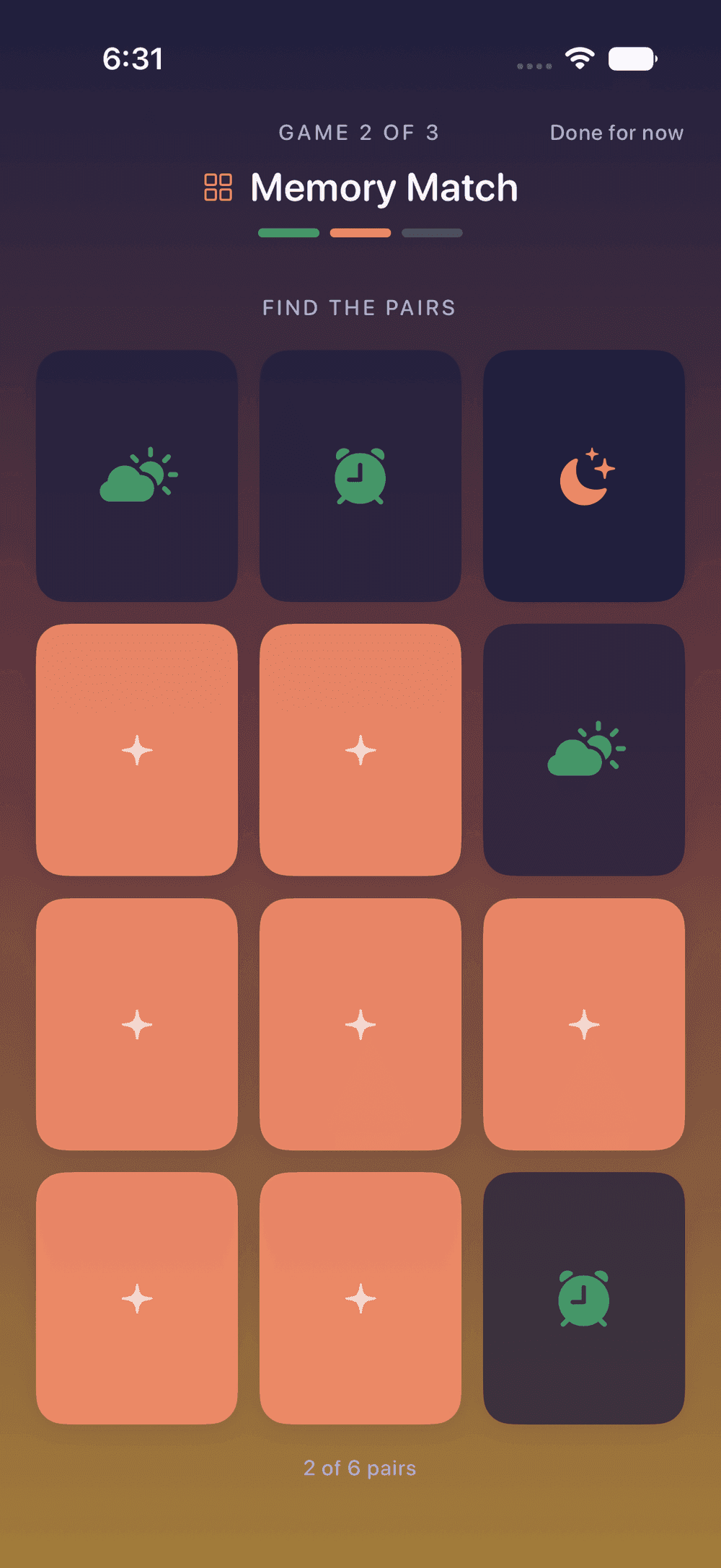


What a puzzle alarm clock asks of you
Dismissing an ordinary alarm is one well-worn motion, and a half-awake brain can run it without ever recording it. A puzzle can’t be done that way. It asks you to hold something in mind, notice something or produce something, so the slower-waking parts of your brain have to arrive for it.
WakeSharp’s puzzle missions:
- Memory Match: turn over the cards and find every pair.
- Sequence Recall: repeat a tap pattern that grows each round.
- Colour Clash: tap the ink color, not the word.
- Type It Out: type out a line word for word, with autocorrect off, so every letter is yours.
- Name Five: name five things from a category, out loud.
They lean on different things. The first two are memory. Colour Clash is attention: reading the word is automatic, so picking the ink color takes effort. The last two are words. The parts of the brain that plan and hold things in mind are the last to come back after sleep, and the first 30 minutes after waking walks through that minute by minute.
How the puzzle alarm works
- The night before, you pick the mission when you build the alarm. One puzzle is fine, or an alarm can ask for several missions in a row, in the order you choose. If you would rather not know in advance, Surprise Me picks a different mission every morning.
- When the alarm rings, the puzzle is waiting. However you quiet the alarm, the morning only counts once the mission is done.
- Afterward, an optional two-minute warm-up plays three of the five brain games on a rotation and produces your Sharpness Score: an in-app score against your own baseline, not a clinical test. It can show you a morning that is worse than your usual, which matters because your reaction time at 7 AM is worse than you think.
Who it suits
- People who dismiss or snooze without deciding to. A puzzle turns a reflex into a task.
- Heavy sleepers who want the alarm to ask for more than a thumb.
- People who find arithmetic grim at 6 AM. If numbers are what you want, the math alarm clock covers Mind Games and Serial Sevens.
What it can’t do
A puzzle gets you thinking, not standing. Every one of these can be done lying down, so if getting out of bed is the real problem, put a photo mission or a walking mission first and the puzzle second.
Nor is a puzzle a cure for grogginess. Nothing here is shown to shorten sleep inertia: a puzzle makes the alarm ask for thought, and that is the whole claim.
Your phone’s own controls always work: nothing stops you switching the phone off. And no app can ring on a phone that is switched off or out of battery, so for anything you can’t afford to miss, set a second alarm on another device.
Questions
Can I do a puzzle mission without waking anyone?
Mostly. Memory Match, Sequence Recall, Colour Clash and Type It Out need only your eyes and thumbs. Name Five asks you to answer out loud, so it is the one to skip if the person next to you is still asleep. The alarm itself still rings, of course.
Is Colour Clash hard if I'm color-blind?
Not necessarily. Colour Clash has a version with no color in it, offered on screen from the first round: the word names a direction, an arrow points another way, and you tap the way the arrow points. It is the same puzzle, read through direction instead of ink.
Are puzzle missions the same as the warm-up games?
Some share a name. Memory Match and Sequence Recall can be a mission, and they are also among the games in the optional warm-up that follows, which skips whichever game the mission just made you play. The mission is what the alarm asks of you. The warm-up is optional and produces the Sharpness Score, an in-app score against your own baseline.
Can one alarm ask for a puzzle and something else?
Yes. An alarm can ask for several missions in a row, in the order you choose: a walk to get you out of bed, then a puzzle to get you thinking, for example.
Related reading
Questions about this page? Email support@wakesharp.app.