
Calendar alarm clock
Most alarms are set once, to a round number, and left there. A calendar alarm clock starts from tomorrow's first meeting instead: WakeSharp's smart alarms re-check your calendar overnight and can move the alarm when the meeting moves.
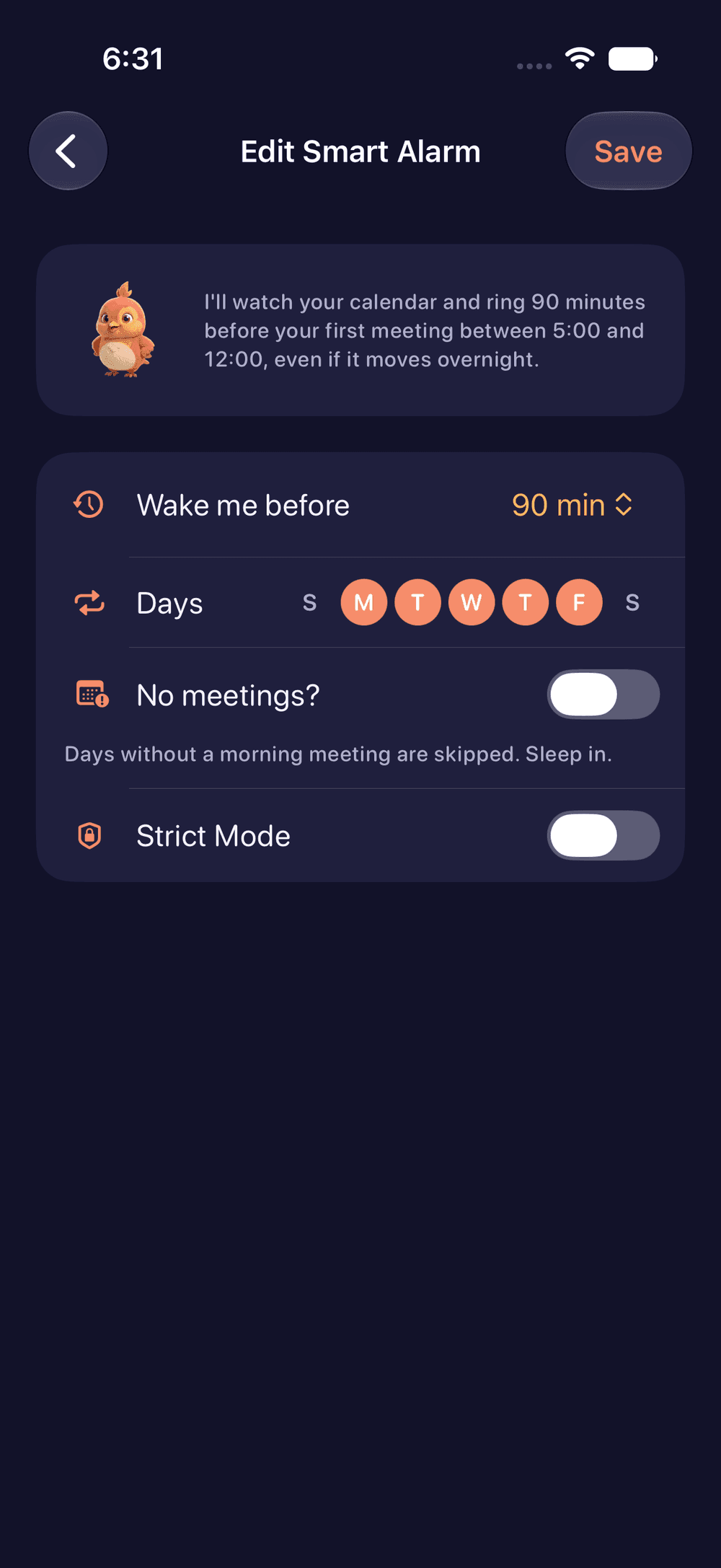


What a calendar alarm clock does
A fixed alarm points at a moving target. Your first meeting changes from day to day, other people move it, and now and then they move it at 11 PM. A calendar alarm starts from that meeting and works backward, so the wake time follows the day you actually have.
In WakeSharp this is a smart alarm. You set a rule such as “Ring 90 minutes before my first meeting,” along with an earliest and a latest time. WakeSharp reads your calendar on your phone, re-checks it overnight, and can move the alarm when the first meeting moves, staying between the times you chose.
The size of that gap matters as much as the meeting, because awake and ready are two different events. A call you mostly listen to needs less runway than one where you present or decide something.
How the calendar alarm works
- Set the rule. Choose how many minutes before your first meeting the alarm should ring, and the earliest and latest times you will accept.
- Allow calendar access, or don’t. It’s optional and read-only, and event content stays on the device. Decline it and you set times yourself; everything else works the same.
- Overnight, WakeSharp re-checks your calendar. If the 9:00 quietly becomes an 8:15, the alarm can follow it, within your range.
- When the alarm rings, it asks for a mission, such as arithmetic or retaking the photo of a spot you chose the night before. However you quiet the alarm, the morning only counts once the mission is done.
Who it suits
- People whose first meeting moves, from one day to the next or overnight.
- People with a morning where they have to think out loud: a presentation, an interview, a decision.
- Anyone who has joined at 8:57 with the camera off, hoping nobody asks them anything.
- People who would rather not do arithmetic at midnight. Once the rule is set, the subtraction happens every night without you, including on the nights the calendar changes after you have gone to bed.
If your mornings follow a shift pattern rather than a calendar, WakeSharp’s shift rotations handle patterns that aren’t weekly.
What it can’t do
It is only as right as your calendar. A 7:30 airport run that lives in your head can’t move anything, and neither can a meeting nobody sent an invite for.
It doesn’t know how you slept. WakeSharp has no sleep tracking, so the runway is a number you choose, and the bedtime that makes it work is up to you.
It can’t ring through everything. No app can ring on a phone that is switched off or out of battery, and your phone’s settings can keep any alarm from sounding. Before a morning that matters, run the six checks for an alarm that actually rings, and for a flight or an interview, set a second alarm on another device. Your phone’s own controls always work: nothing stops you switching the phone off.
Questions
What does WakeSharp read from my calendar?
Your upcoming events, read-only and on your phone, for one purpose: working out when to wake you. Event content stays on the device.
Do I have to give it calendar access?
No. Calendar access is optional. Without it you set alarm times yourself, and every other feature still works.
Can a moved meeting make the alarm ring too early?
Not earlier than you allow. A smart alarm stays between the earliest and latest times you choose, so an early meeting can't pull the alarm before your earliest time.
Will a calendar alarm ring if my phone is on silent?
On iPhone, Apple's AlarmKit rings through Silent mode and Focus once alarm permission is granted. On Android, the alarm stream rings through silent mode, and through Do Not Disturb when it allows alarms. No app can ring on a phone that is switched off or out of battery.
Related reading
Questions about this page? Email support@wakesharp.app.