
Math alarm clock
A swipe is something you can do without really waking up. A math alarm clock asks for something you can visibly get wrong: in WakeSharp, quick arithmetic rounds with Mind Games, or counting down by sevens out loud with Serial Sevens.
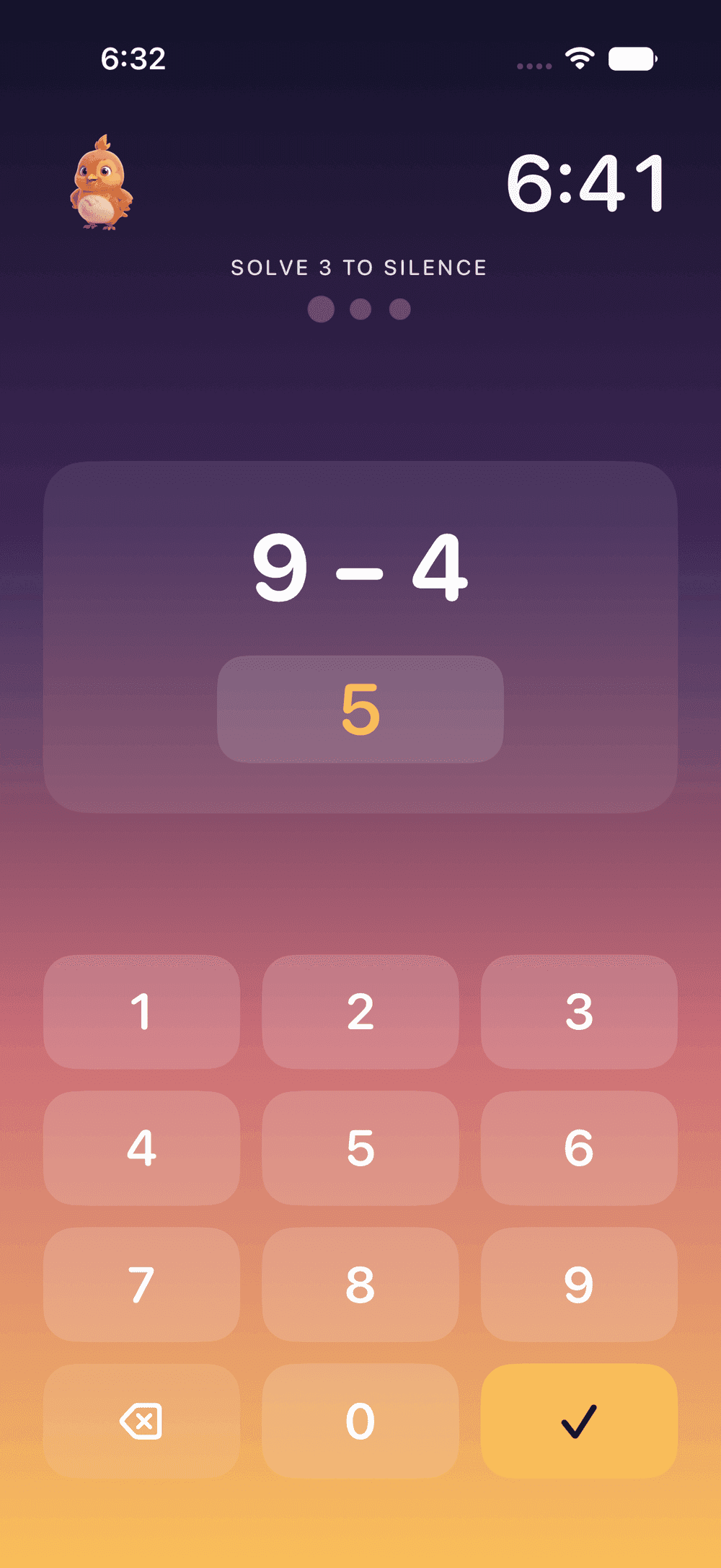


What a math alarm clock asks of you
An ordinary alarm asks for one practiced motion, and a half-asleep hand is very good at practiced motions. It can silence an alarm before the rest of you has an opinion. A math alarm clock swaps the motion for a problem. A problem can’t be solved by a thumb alone: some part of you has to turn up and do the arithmetic, and you can visibly get it wrong.
WakeSharp has two missions built on that idea:
- Mind Games: quick arithmetic rounds you have to get right.
- Serial Sevens: count down by sevens, out loud.
Arithmetic earns its place because holding a number in mind while you work on it leans on working memory, one of the last things to come back online after sleep. The research, including an unsettling result about addition right after waking, is in the science of why solving beats snoozing.
How the math alarm works
- The night before, you choose the mission as part of the alarm: Mind Games, Serial Sevens, or both in a row, in the order you choose. The deal is made while you are awake enough to make it.
- When the alarm rings, the mission is waiting. Mind Games wants correct answers. Serial Sevens wants you counting down by sevens, out loud.
- However you quiet the alarm, the morning only counts once the mission is done.
- Afterward, an optional two-minute warm-up plays three of the five brain games on a rotation and produces your Sharpness Score. Mind Games is one of those games, and the warm-up skips whichever game the mission just made you play. The score is an in-app score against your own baseline, not a clinical test, which is useful because you are a poor judge of your own morning fog.
Who it suits
- People who snooze on autopilot, or wake with no memory of turning the alarm off.
- Heavy sleepers who have already tried louder. Volume only gets you so far; a problem at least asks for an answer.
- People with a first meeting to make. Pair a math mission with a calendar alarm that rings a set time before the meeting.
If numbers at 6 AM sound like a punishment, a puzzle alarm clock asks for memory, attention or words instead, and a walking alarm clock asks for your feet before your head.
What it can’t do
No published trial has tested WakeSharp’s missions against a plain alarm, and the research hasn’t established that solving arithmetic, or any task like it, shortens sleep inertia, the groggy stretch after waking. A math alarm checks that you are conscious enough to do arithmetic. It doesn’t make the next twenty minutes trustworthy, so keep anything important out of them.
It also can’t overrule your phone, and shouldn’t. Your phone’s own controls always work: nothing stops you switching the phone off. No app can ring on a phone that is switched off or out of battery, either, so for a flight, an exam or anything else you can’t afford to miss, set a second alarm on another device.
Questions
Do math alarm clocks actually work?
They work at what they are built for, which is making the alarm ask for more than a reflex. There is no controlled evidence that solving arithmetic shortens sleep inertia, so treat a math alarm as a test that you are awake, not as a stimulant.
What is Serial Sevens?
A mission that asks you to count down by sevens, out loud. It is arithmetic done with your voice instead of your thumbs, so it suits people who would rather talk than tap at 6 AM. If you share a room with someone who is still asleep, Mind Games is the quieter choice.
Can one alarm ask for both missions?
Yes. An alarm can ask for several missions in a row, in the order you choose: Mind Games then Serial Sevens, the other way around, or either one alongside a mission of another kind, such as a walk.
Is the Sharpness Score a measure of how awake I am?
It is an in-app score from the optional warm-up after the mission, measured against your own baseline. It can show you a morning that is worse than your usual. It is not a clinical test, and it is not medical advice.
Related reading
Questions about this page? Email support@wakesharp.app.