
Alarm clock for shift workers
Last updated 28 September 2026
Build an alarm rotation around your shifts instead of a seven-day week. Preview upcoming dates and skip a day without deleting the pattern.
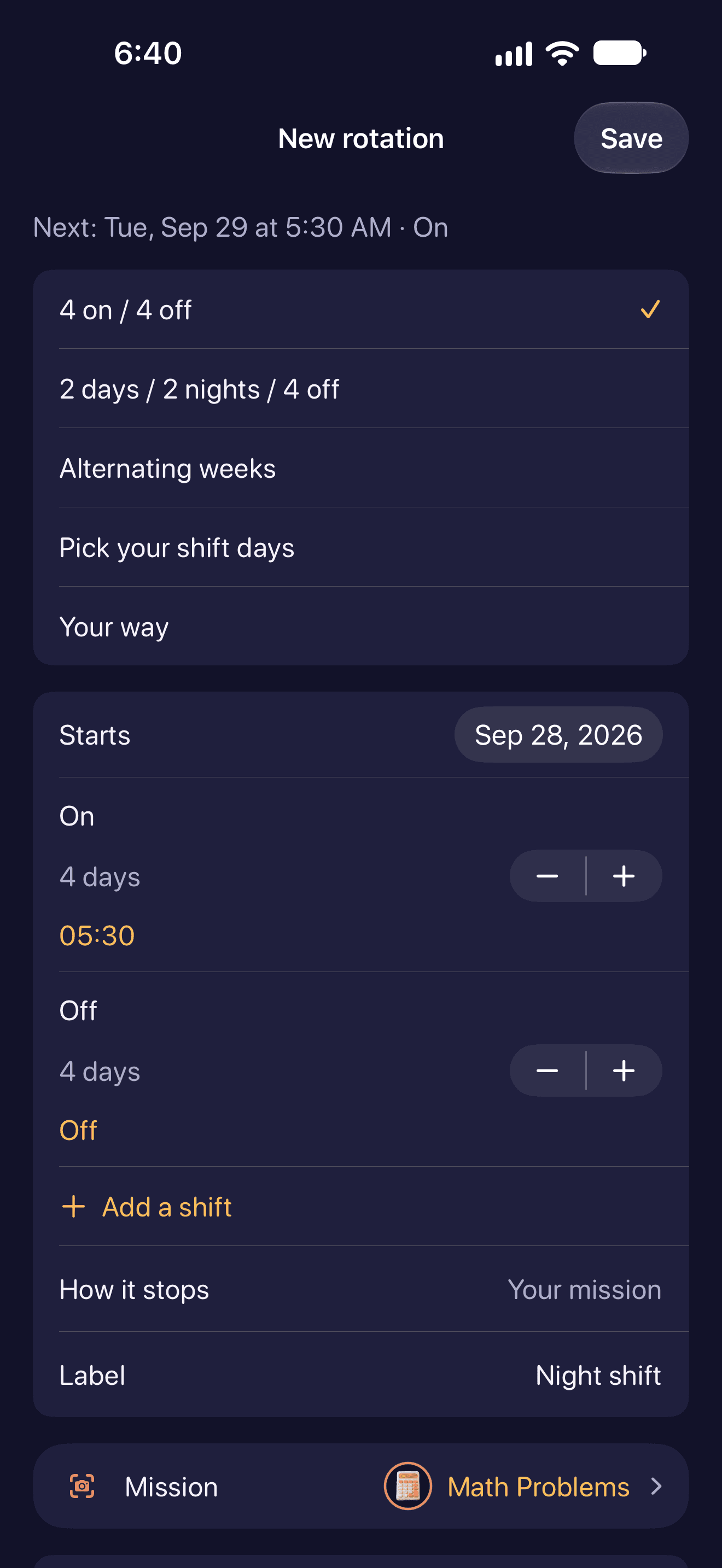
Not every week is a week, either. Shift rotations handle the patterns that aren’t weekly (two days on, two nights, four off) with a preview calendar and a way to skip a single date without deleting anything. Profiles swap a whole set of alarms at once for work, vacation or on call. Search, sorting and a Today view keep the list honest when there are a lot of them.
How to use it
- Create a shift rotation and choose its starting date.
- Add work and rest phases with the alarm time for each working phase.
- Check the preview calendar against your roster. Skip individual dates when your plans change.
What to check
Name what you’re waking up for (a workout, a commute, breakfast) and the label writes itself.
Explore the other features
- Loud alarm tones
- Scan an Object alarm
- Math alarm clock
- Puzzle alarm clock
- Photo alarm clock
- Walking alarm clock
- Calendar alarm clock
- WakeSharp Sharpness Score
Download WakeSharp
Available on the App Store and Google Play
Questions about this page? Email support@wakesharp.app.